Hi, Ed here.
v2.2.163 is going out to your WingsAbove display over Wi-Fi now. WingsAbove Cloud gets it the next time you open or reload it. It's a bigger one than last week's, so here's what's new.
Crew Mode: the sky, with your flight cutting in
Until now Crew Mode was one or the other: the planes overhead, or your crew flights and nothing else. The family of a pilot asked for something in between: "a scanner with a priority channel." Now there is one.
Go to Menu › Crew › Main display and pick one of three:
- The sky: planes overhead, with your flights in Menu › Crew (same as before)
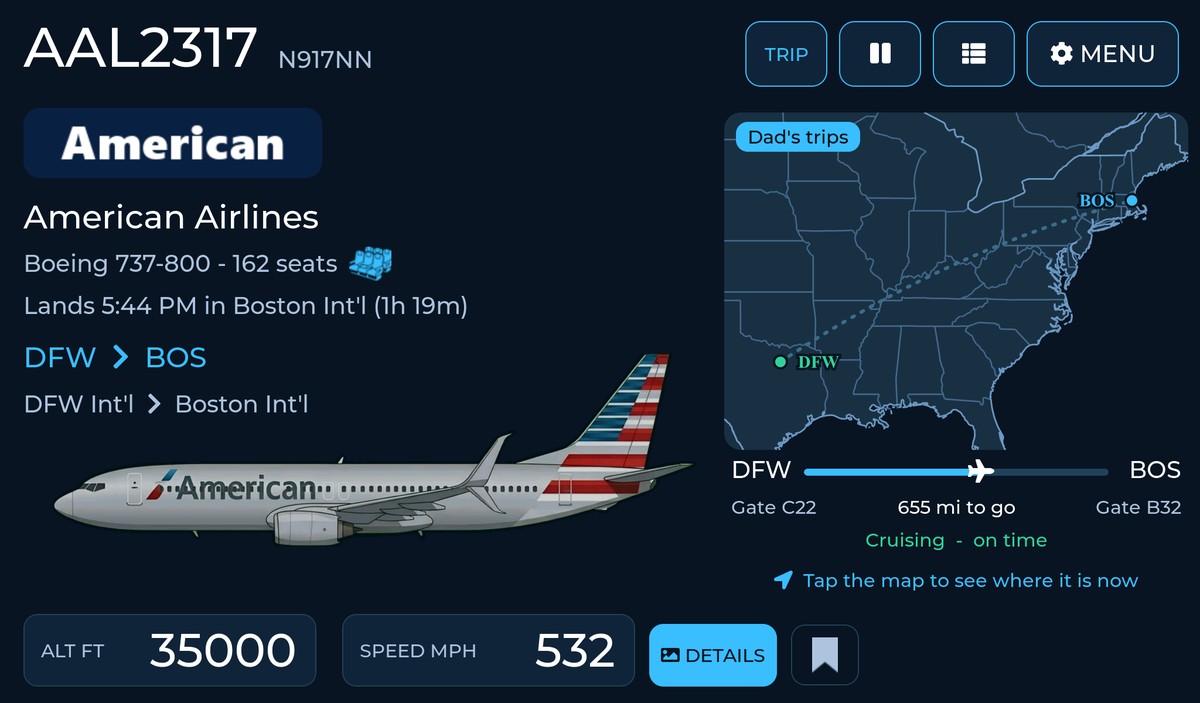
- The sky and my flights: new. The display keeps showing the planes overhead. While one of your crew flights is in the air, it cuts in for about 25 seconds every 1, 2, 5 or 10 minutes (you choose), with its route map and when it lands. Then the sky comes back.
- My flights only: the crew screen, as before
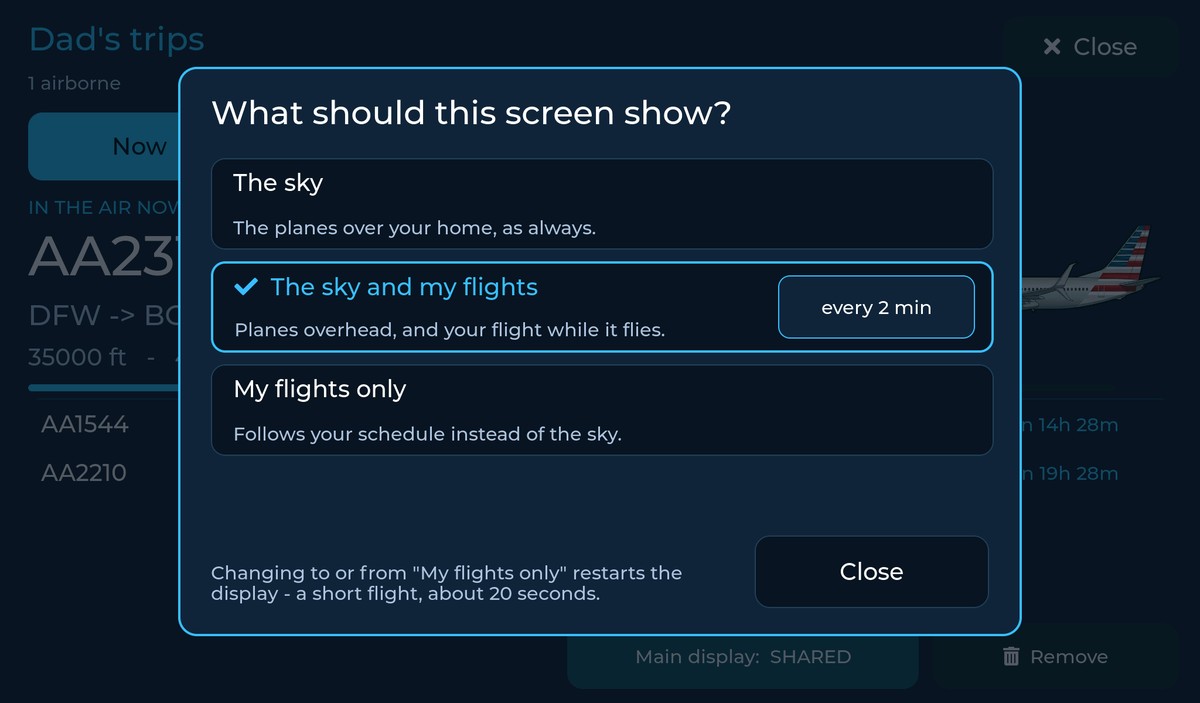
The cut-in comes right away when the flight takes off. If the sky overhead is empty, your flight stays on screen. It never switches cards while you're touching the screen or have a menu open.
The flight strip on a crew flight now shows whether it's on time or late, miles to go, and whether it's climbing or descending, plus the departure and arrival gates when the flight data has them.
Also from the last update: pairing and updating a crew schedule now uses the same kind of connection as everything else on the display. Crew rooms and hotels whose Wi-Fi blocked it should now work. And if you open Crew before linking a schedule, the display says so instead of restarting.
Runway view: the whole airport
Runway view now draws the airport itself under the live traffic: taxiways, aprons, terminals and gates, with the active runway highlighted. Aircraft on the map use the same plane shapes as the radar.
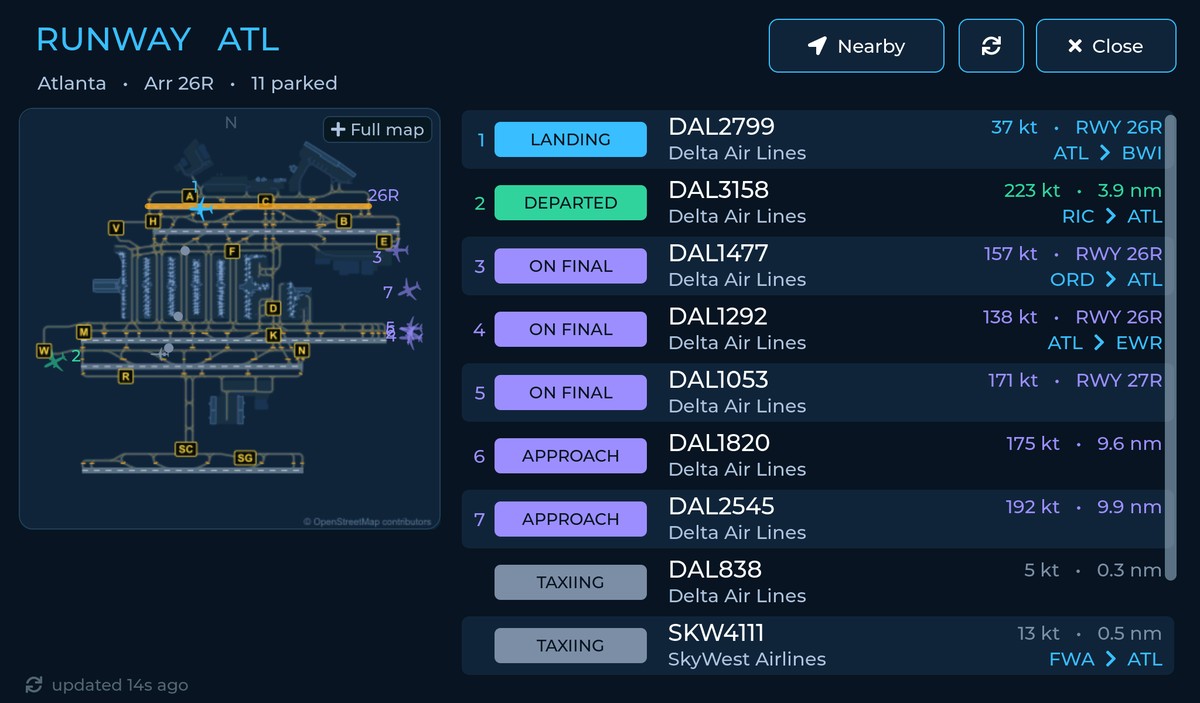
Tap + Full map for a full-screen view of the field with every aircraft labeled. Tap a label to open that flight. A line under the header shows how fresh the picture is; it refreshes on its own every 30 seconds.
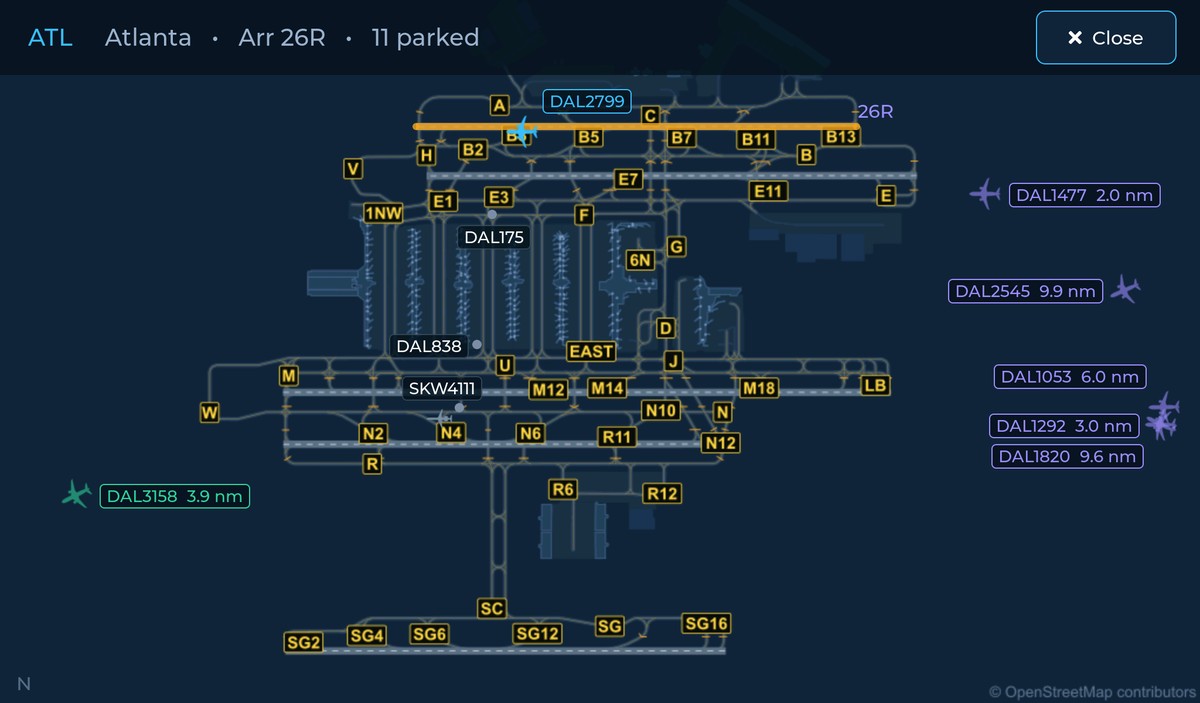
The diagrams come from OpenStreetMap. Big airports are mapped in detail; small fields usually show runways, taxiways and hangars but no gates. The first time anyone opens a given airport, its diagram can take a minute to appear. After that it's quick, and your home airport's diagram downloads in the background.
Steadier displays
Some 7-inch displays could freeze for a moment and then restart. We tracked it down to how the display turns the picture right side up, and fixed it. Displays now also tell us why they restarted (an update, a menu choice, a crash), so problems like this get found and fixed faster. If your display has been restarting on its own, this update should help. If it keeps happening, reply and tell me.
We also upgraded the servers behind WingsAbove this week. If Cloud or your display felt slow to load flights earlier in the week, that's fixed.
Smaller things
Sky View on the 7-inch display now fits five whole rows in the list, and tapping the detail panel opens the flight's Details.
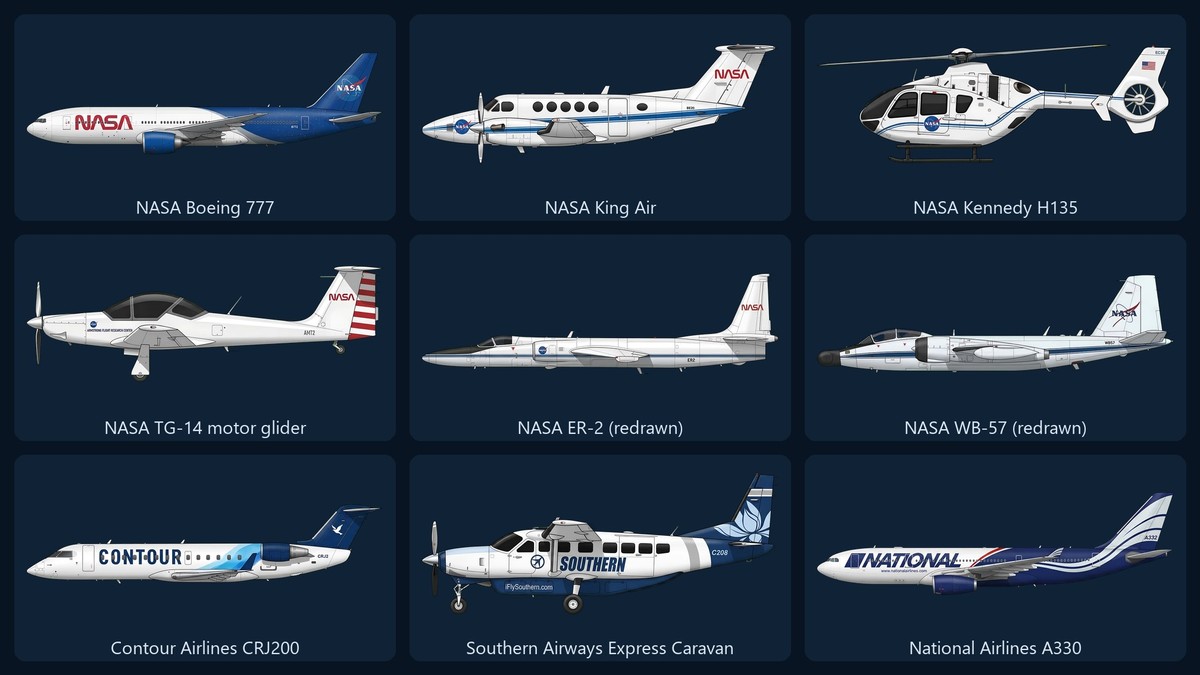
New artwork. NASA's 777, King Air and Kennedy's H135 helicopter, plus Armstrong's TG-14 motor glider. NASA's ER-2 and WB-57 are redrawn. New liveries for Contour Airlines, Southern Airways Express and National Airlines' A330, and new pictures for the Beechcraft Bonanza G36 and the Piaggio Avanti.
How to get it
Your display installs it on its own the next time it checks, usually within a few hours. You'll see a Software Update screen for about a minute. Keep the power connected and it restarts by itself. To check, Menu › System Status shows v2.2.163.
The crew change came from a pilot's family who wrote in. If something on your display bugs you, or you wish it did something it doesn't, write to hello@wings-above.com. I read every one.
Airport diagrams © OpenStreetMap contributors.
Ed
WingsAbove LLC · Minnesota