Hi, Ed here.
v2.2.178 is going out to your WingsAbove display over Wi-Fi now, and WingsAbove Cloud and the apps have it the next time you open them. One short Software Update screen this time.
The Logbook: when, and how close
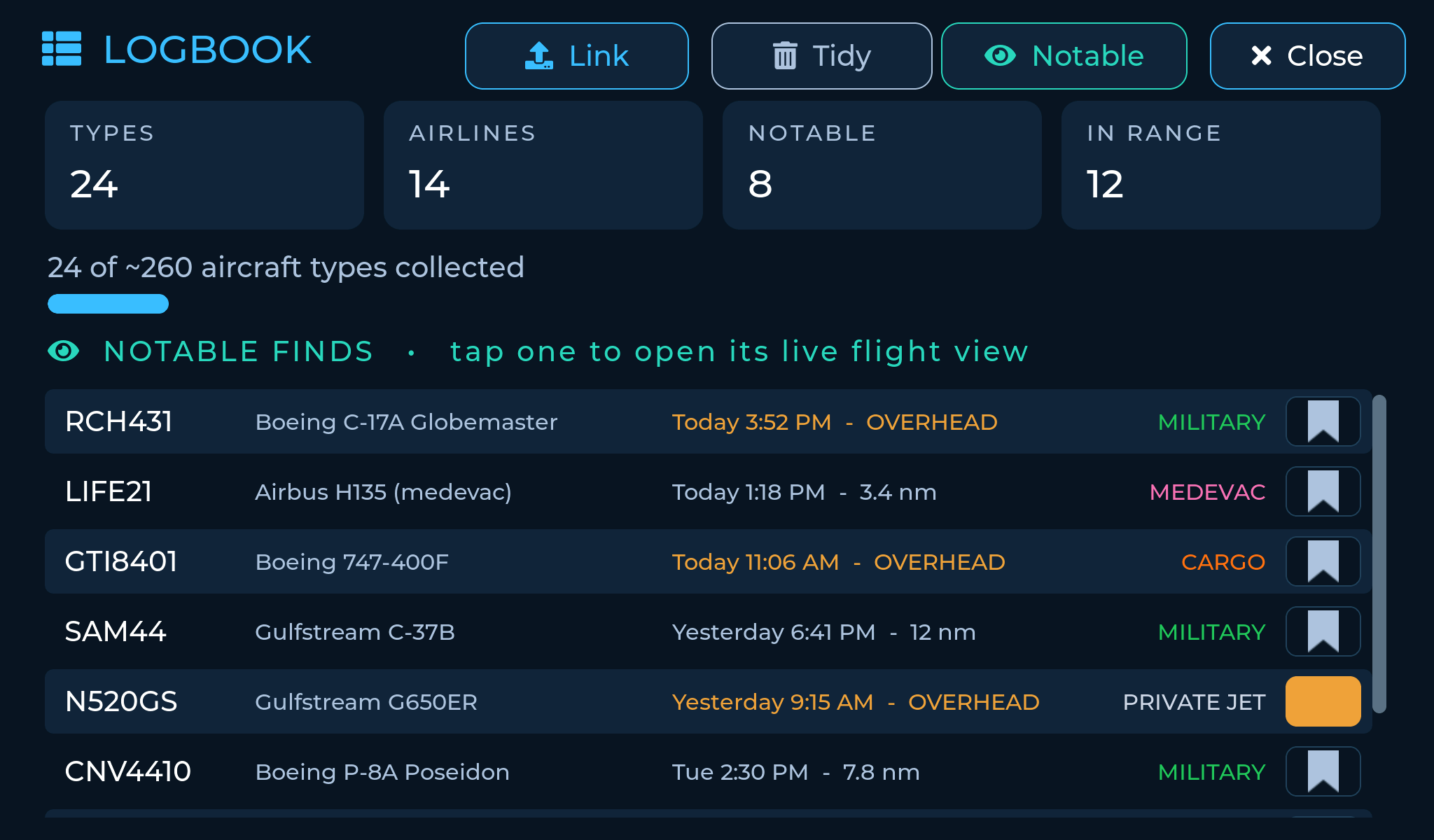
This one was an owner's idea. The Logbook already kept your notable finds: the military transports, the medevac helicopters, the cargo jumbos. Now each one shows the time it passed and how close it came. Anything that came within 2 nautical miles is marked OVERHEAD in gold, so you can see what flew over while you were out.
If the same aircraft comes back after half an hour or more, that counts as a new pass: it moves to the top of the list with its new time and distance. Distance is measured from the location your display is set to, so OVERHEAD means over your house when that location is your house.
Runway view: both landing runways
A big airport often lands on two runways at once. Los Angeles does it all day, one on the north side and one on the south. Runway view used to name only the busier of the two, so you could see "Arr 24R" with an airplane on short final to 25L listed right under it. The header now names both, "Arr 25L + 24R", and both runways are lit and labeled on the map.
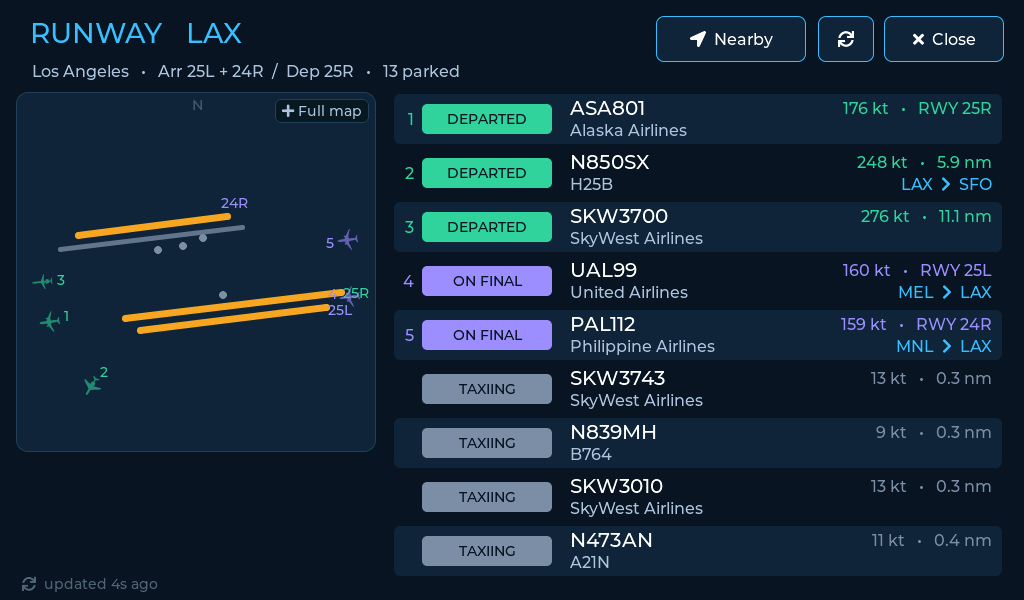
The first time you open an airport, its map takes about 20 seconds to arrive. The panel now says so, with a small Loading airport map note, where it used to show bare runway lines and leave you wondering.
Runway view: the airport's own vehicles
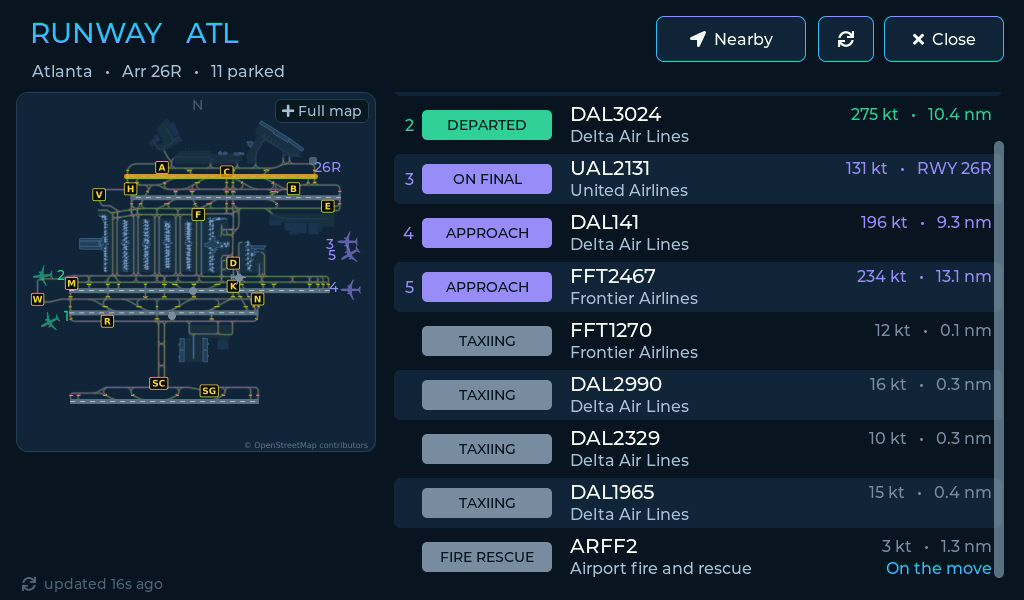
Fire trucks, tugs and operations trucks at some airports report their position the same way aircraft do. Runway view used to list them as if they were airplanes: "TAXIING OPS5" at Atlanta. They now get rows of their own at the bottom of the list, marked AIRPORT OPS, FIRE RESCUE or TUG, and a small square on the map where an aircraft gets a plane. A vehicle shows while it is moving and drops off shortly after it parks.
Tap one and you get a picture of what it is, where a tap used to go looking for a flight that did not exist.
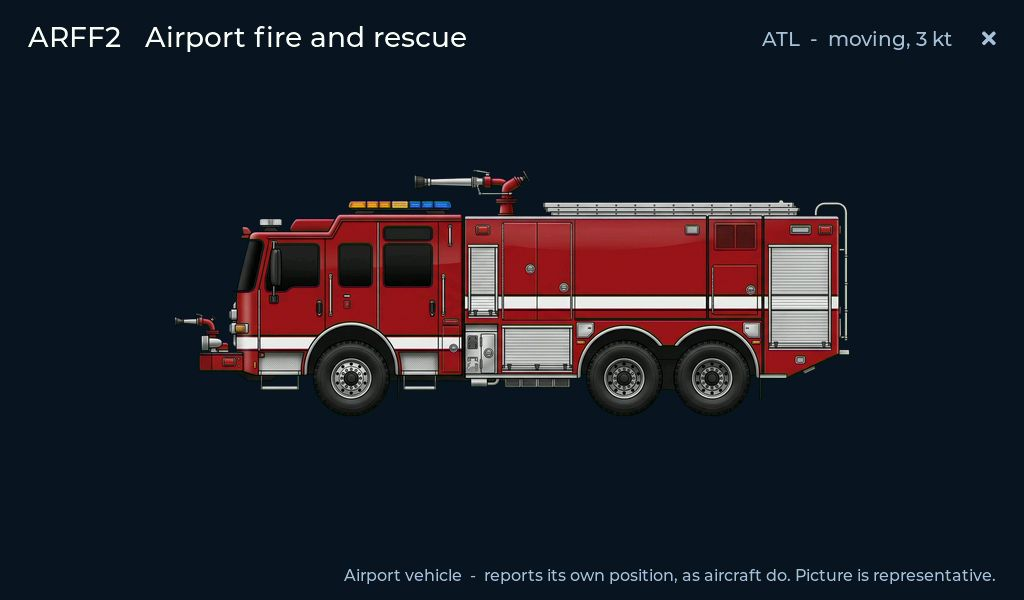
Not every airport's vehicles carry a transmitter, so at many airports you will see none.
I spent a day watching Runway view at Los Angeles and fixed what I saw. These are already on your display, because they were fixed on our side:
- The right runway among parallels. Los Angeles has four runways on one heading. A departure or arrival is now credited to the runway it is actually lined up with, not to whichever of the four came first.
- Only this airport's traffic. Hawthorne is under four miles from Los Angeles, and an airplane taxiing in at Hawthorne was being listed as Los Angeles traffic. The list now stops at the airport's own boundary.
- Taxiing and parked aircraft, all day. For about a week the ground half of the picture had been falling back, for most of each day, to a source that does not follow aircraft on the ground well. It now comes from one that does.
- A name on every row. An aircraft whose crew has not entered a flight number yet showed up as "00000000". It now shows its tail number.
- Landing is not departing. An airplane slowing down after touchdown, or creeping off the runway, could be labeled DEPARTED. It now reads as landing or taxiing.
- No wrong routes. Airlines reuse flight numbers, so an airplane on final to Los Angeles could carry the route of a different leg. When the route does not fit where the airplane plainly is, the row shows no route.
Three smaller fixes on the display itself:
- The right airport's map. Switching Runway view from one airport to another could draw the new airport's traffic over the last airport's taxiways for a few seconds. The old map now comes down at once.
- Airport Code. The search row no longer runs into the buttons in the title bar.
- Live Flight. Opening a flight no longer flashes the previous flight's airplane and route line first.
Crew Mode says what it is doing
Three small changes for pilots and flight attendants using Crew Mode:
- A schedule that has run out says so. When your uploaded schedule has ended, the standby screen says that plainly, with the date, where it used to show "No flights ahead" over three empty tiles.
- The green button says what the screen shows. It used to read like a switch: "Main display: ON". It now reads Showing: My flights only, Showing: Sky + my flights or Showing: The sky, which is what it chooses between.
- Starting up. While the display fetches your schedule after a restart it shows "Getting your schedule" and a small turning arc, not a row of dashes.
And if you fly for Southwest: a calendar synced from CrewHub now works. CrewHub writes each trip as one all-day entry with the legs in its notes; WingsAbove reads those legs, so your flights show up like anyone else's.
Seen something that looks wrong, or something you wish it showed? hello@wings-above.com. The Logbook change started exactly that way.
Ed