Hi, Ed here.
A new update for your WingsAbove display, v2.2.159, is going out over Wi-Fi now. WingsAbove Cloud gets the same update the next time you open or reload it.
What's new
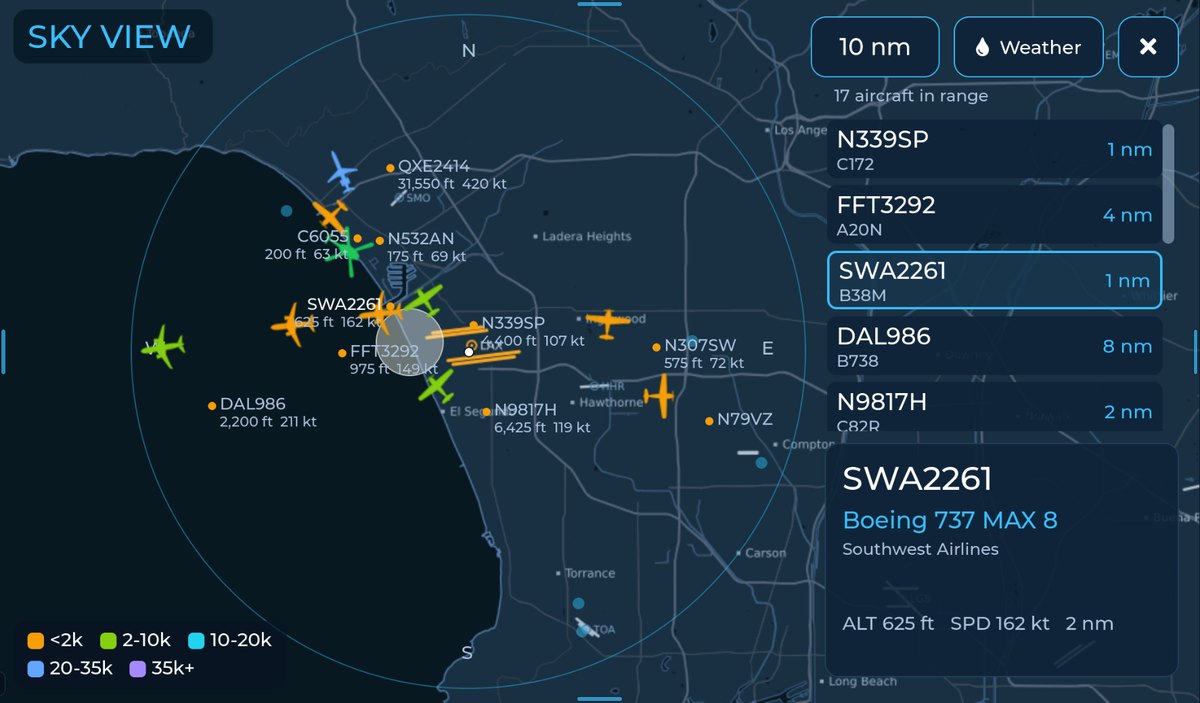
Sky View comes alive. Tap the radar on the main card and the map now fills the whole screen, with the roster of everything in range down the right side. The aircraft move between updates instead of jumping once a minute, each one trails the path it has flown, and the glyphs are colored by altitude with a key in the corner: orange low on approach, green climbing out, blue in the cruise. Every aircraft is drawn with its own silhouette, so a helicopter, a regional jet and a 747 look like what they are. Tap the X to close it, or the Weather button to lay the rain over the map. The sharp map for your location downloads in the background the first time you open it after this update, or after you move the display, so for the first minute or so you may see "Loading map" where the picture will be.
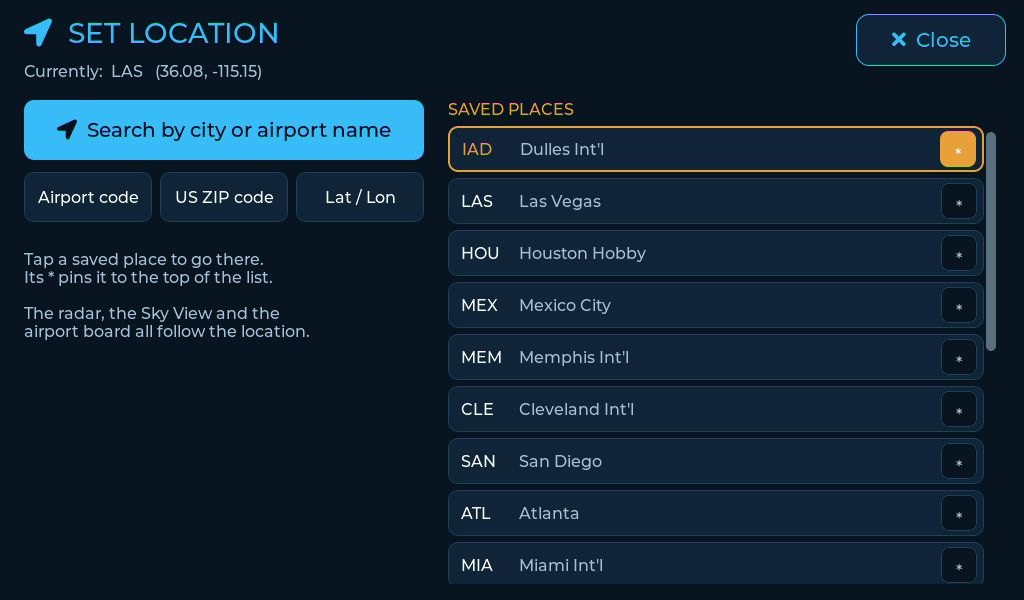
Find a place by name. You no longer need to know the airport code. Set Location now has a search box: type a city or an airport name, pick from the list, and the display moves there. The airport code, ZIP and latitude and longitude pads are still there as buttons underneath.
One list of saved places. Before, each way of setting a location kept its own recents and favorites, and a place saved from one pad was invisible on the others. Now there is one list of saved places on the Set Location screen, whatever way you entered them. Tap the * beside a place to pin it to the top.
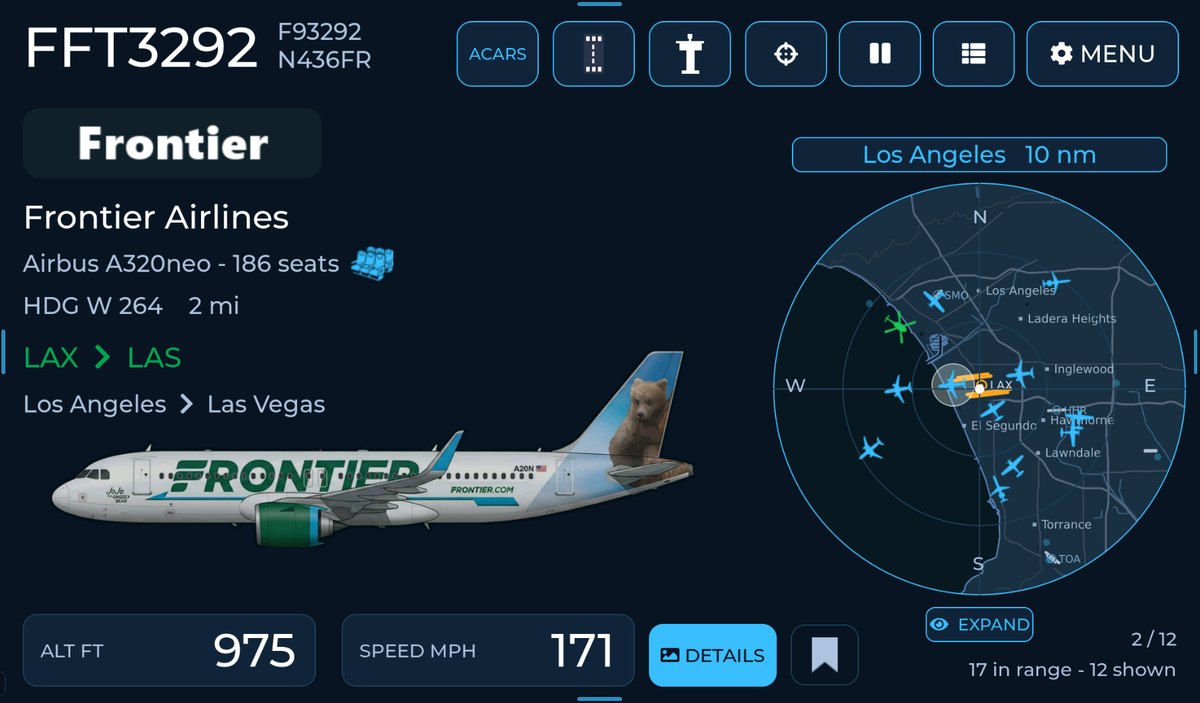
The aircraft on the card. On the small radar, the aircraft the card is showing used to be marked with a ring. It now has a soft glow that breathes, the way a good flight-tracking site marks a selected plane, without changing the glyph's size or color. It goes out when the display is between aircraft.
A seat map button you can actually spot. The last update brought seat maps for 103 aircraft, but the button that opens them was a faint row of dots after the seat count on the main card, and it was easy to miss. It is now a small seat-row icon in the same place: you can see it after "186 seats" in the picture below. Tap it, tap the type line, or use the Cabin button on Details, and the display shows that aircraft's cabin from above: the premium seats up front, economy, the galleys, lavatories and exits.
Distances measured from your spot. A few displays, after a move to a new location, showed distances that belonged to somewhere else, with "33 mi" on a plane that was right over the fence. The display now measures every distance from its own location, so the list sorts nearest first again.
Steadier downloads. A display at a busy airport could restart partway through fetching artwork or a map. Every download now arrives in smaller pieces sized for the display's radio, which ends that.
How to get it
Your display installs it on its own the next time it checks, usually within a few hours. You'll see a Software Update screen for about a minute while it installs. Keep the power connected and it restarts by itself. If you'd like it right away, unplug the display for a few seconds and plug it back in.
To check you have it: Menu › System Status shows v2.2.159.
Keep the notes coming
The name search and the single list of saved places both came from owners who wrote in. If something on your display bugs you, or you wish it did something it doesn't, write to hello@wings-above.com. I read every one.
Ed
WingsAbove LLC · Minnesota