Use these as written, or shorten them to fit.
One line
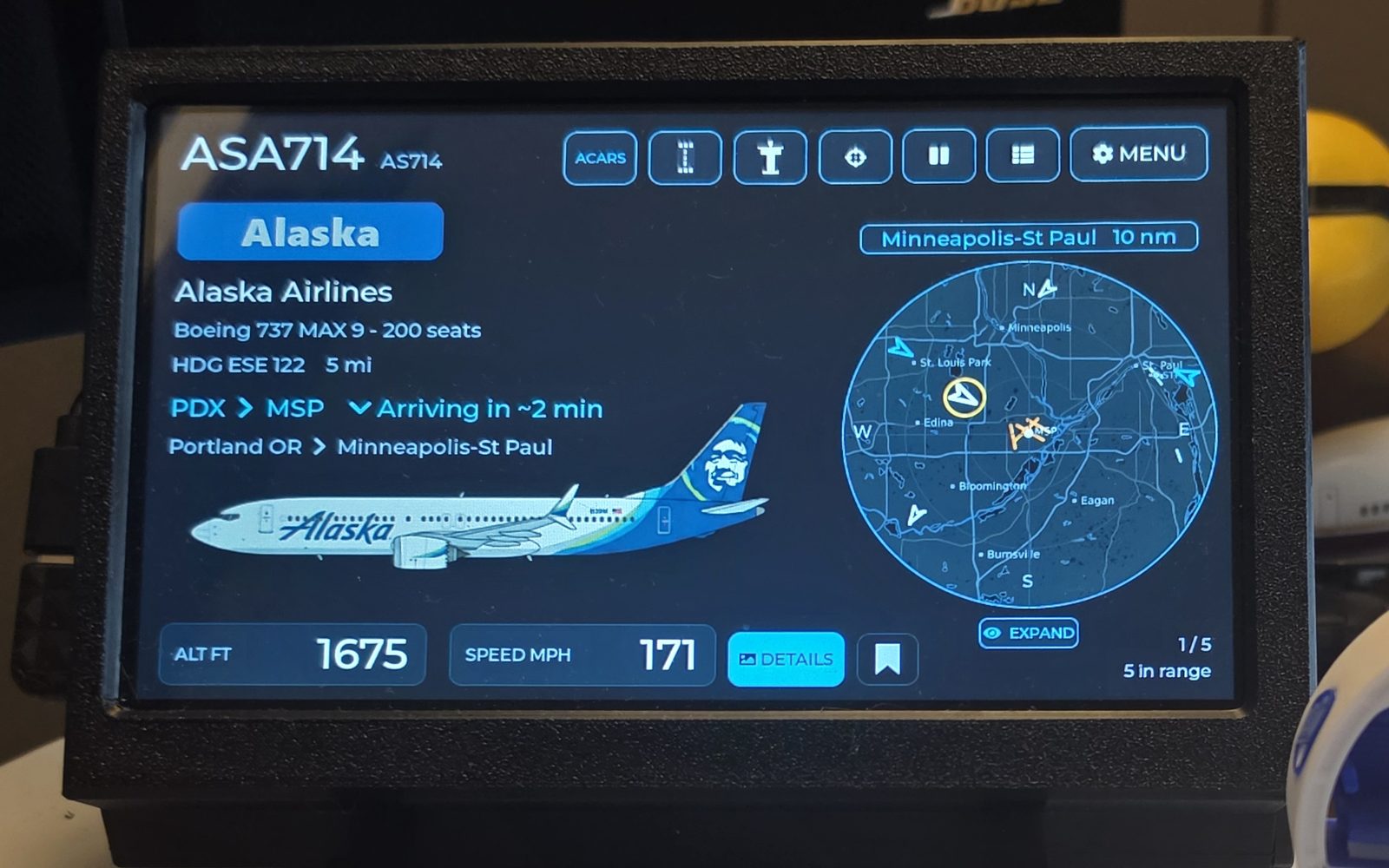
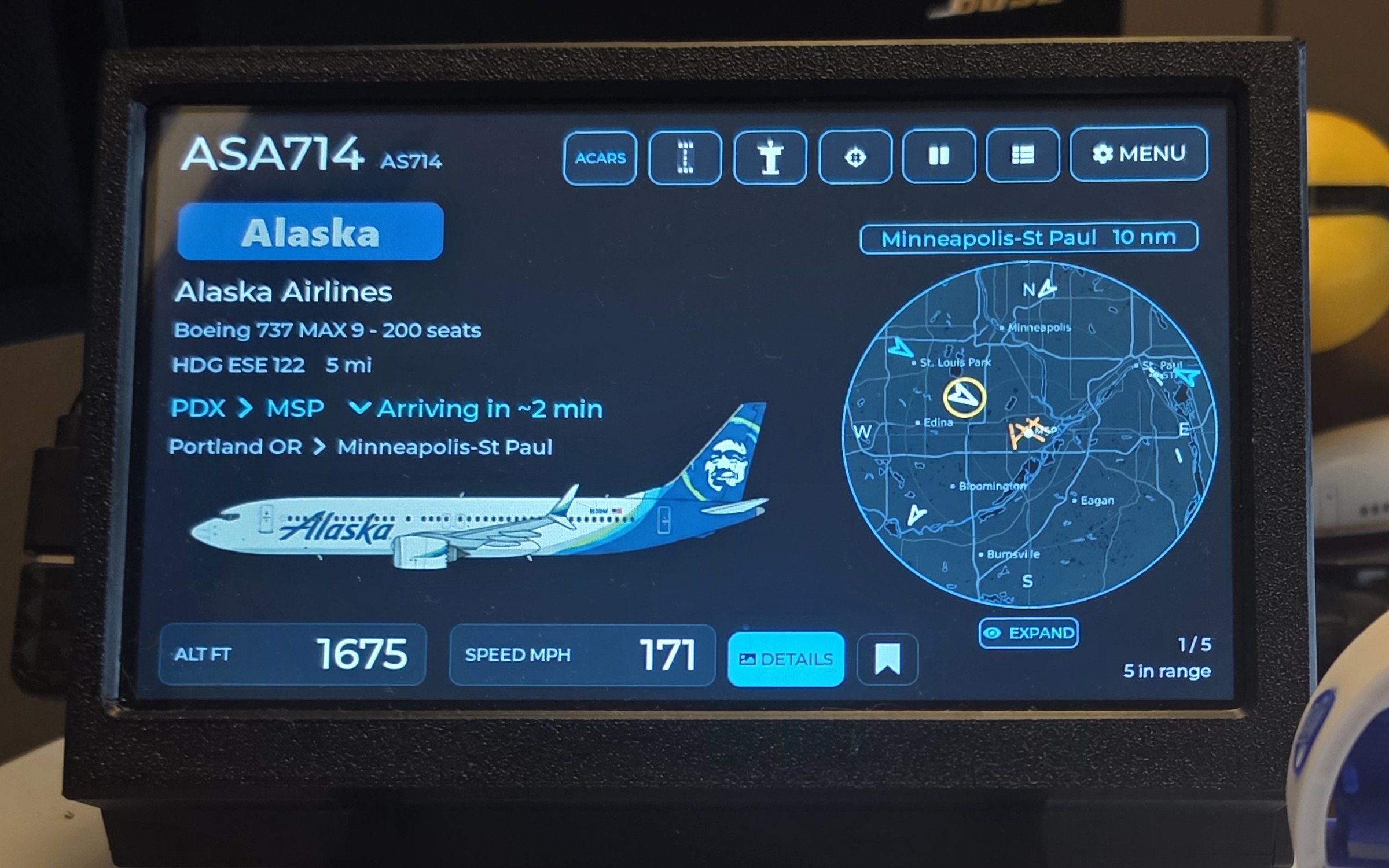
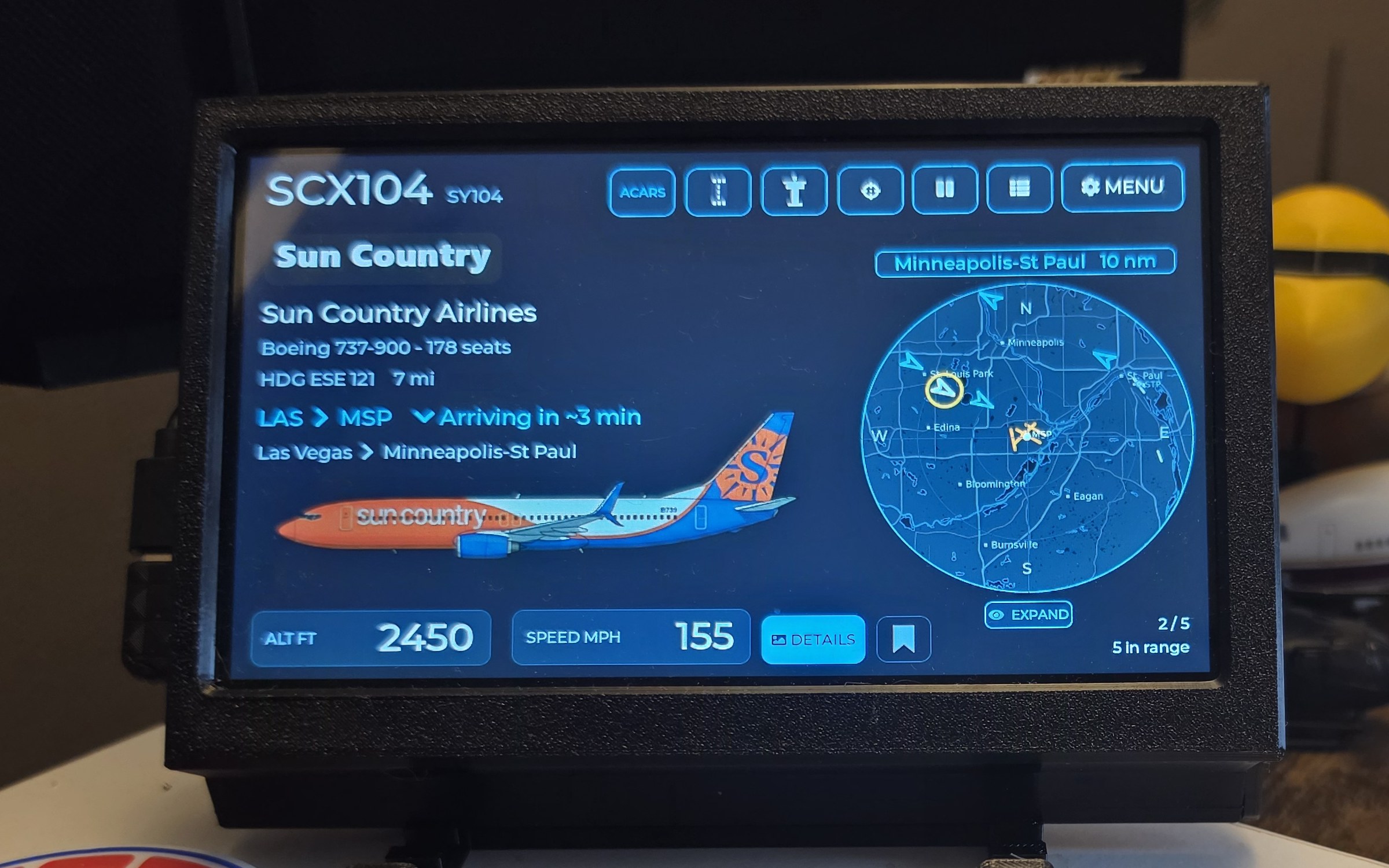
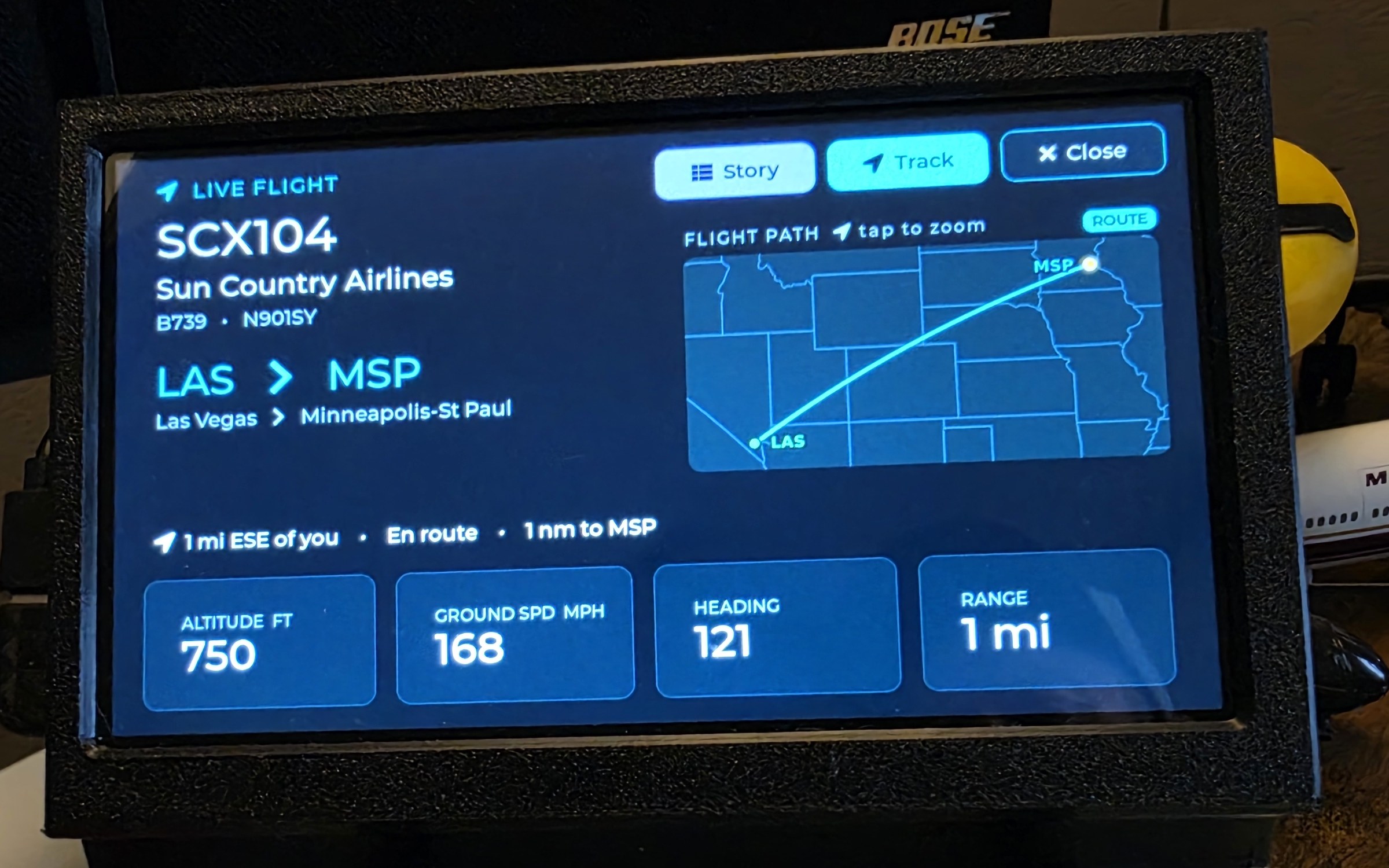
WingsAbove is a 7-inch touchscreen that shows the aircraft around you live — on a real map, with type, route and altitude, and one-tap flight tracking.
Short · about 45 words
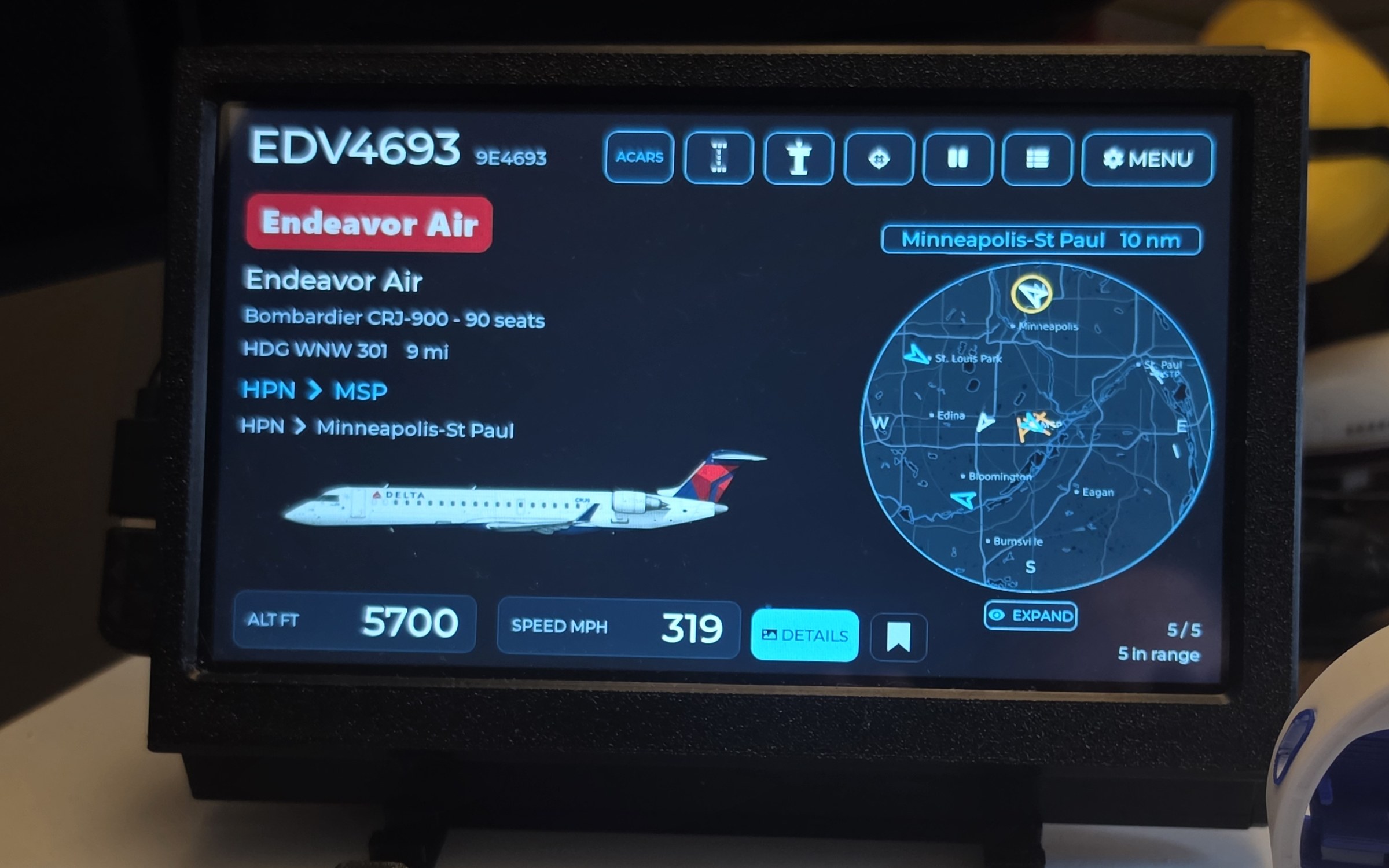
WingsAbove is a 7-inch desktop flight tracker that turns nearby air traffic into an always-on display. It shows live aircraft on a real map, shows its flight number, type and route, and lets you tap into aircraft details, airport views and live flight tracking.
Long · about 100 words
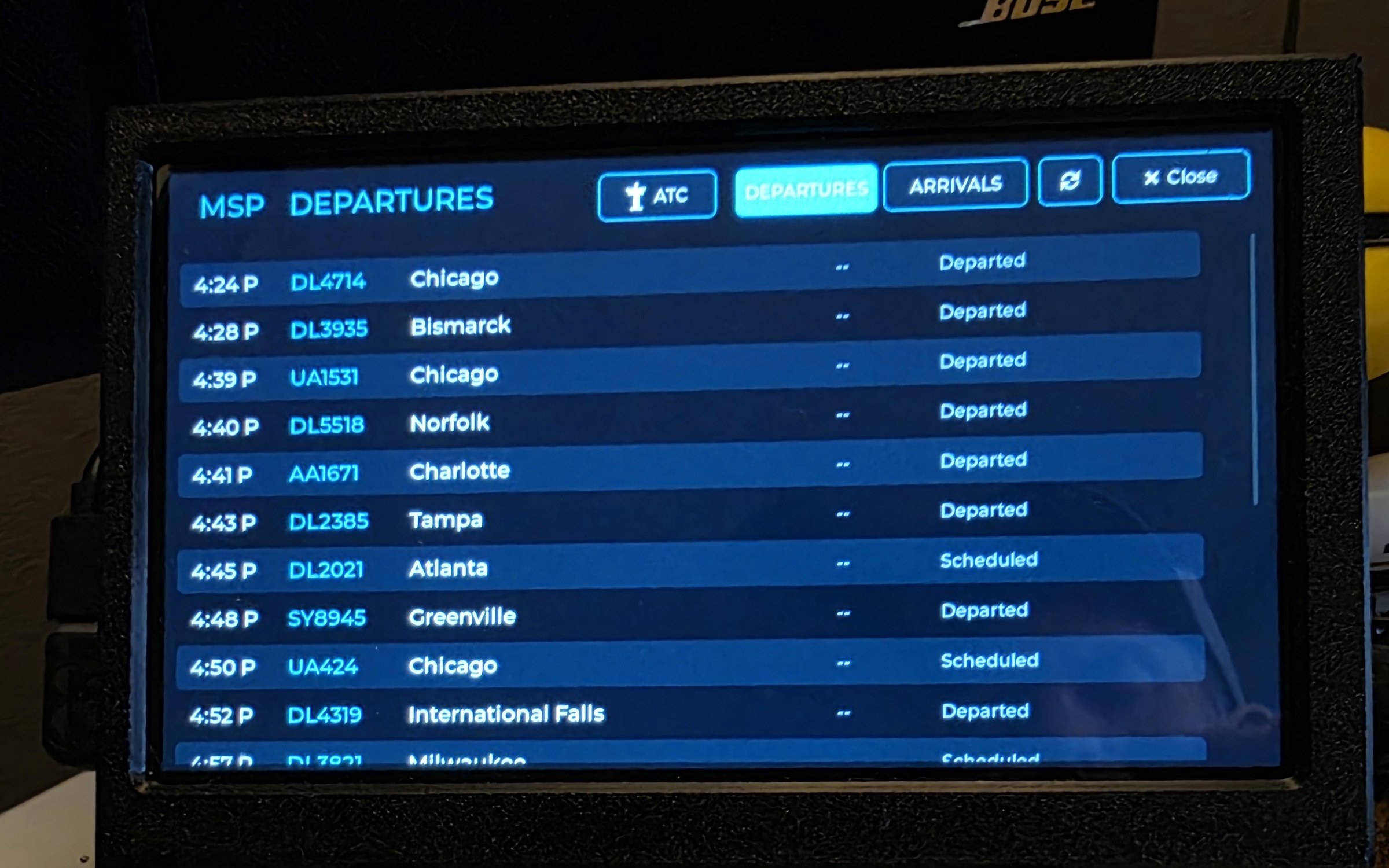
WingsAbove is a Wi-Fi-connected 7-inch touchscreen built for people who look up when they hear an airplane. The display cycles through aircraft around the user's location, showing a live radar over a real map alongside the aircraft's flight number, type, route, altitude and speed. A tap opens aircraft details and live flight tracking; separate views show nearby traffic, airport arrival and departure boards, and live runway movement. Crew Mode can load a pilot's current schedule onto the display so the flights that matter to a crew or family stay visible. No local ADS-B receiver or antenna is required.
The current product at a glance.
| Product | WingsAbove 7″ — desktop live flight-tracking touchscreen |
| Company | WingsAbove LLC · Minnesota, USA · independent and founder-led |
| Status | Working hardware; pre-launch. Waitlist open at wings-above.com |
| Availability | Launch / crowdfunding date to be announced |
| Pricing | Planned retail $299 · launch pricing planned from $249 |
| Display | 7-inch · 1024×600 · full-colour touchscreen · landscape |
| Connectivity | Wi-Fi · no local ADS-B receiver or antenna required |
| Power | USB-C power |
| Core views | Aircraft cards, live radar / Sky View, aircraft details, live flight tracking, airport board, Runway view, Screen Cast |
| Crew Mode | Loads a pilot's current schedule or selected aircraft into a dedicated tracking view; revised schedules are uploaded again and replace the previous schedule |
| Service | The core overhead experience stays with the device; optional WingsAbove Plus is planned for metered features such as richer live status, gate, terminal, ETA and alerts |
| Data | Live aircraft positions and aviation information from public and commercial data providers |
| Press | hello@wings-above.com |
Built around the aircraft, not just the flight number.
7″ 1024×600 touchscreen
Enough resolution for maps, aircraft artwork, runway layouts and touch interaction rather than a text-only or low-resolution matrix presentation.
Visual, not a list
The aircraft card is visual first: the airplane is drawn at a glanceable size alongside live route, altitude and speed.
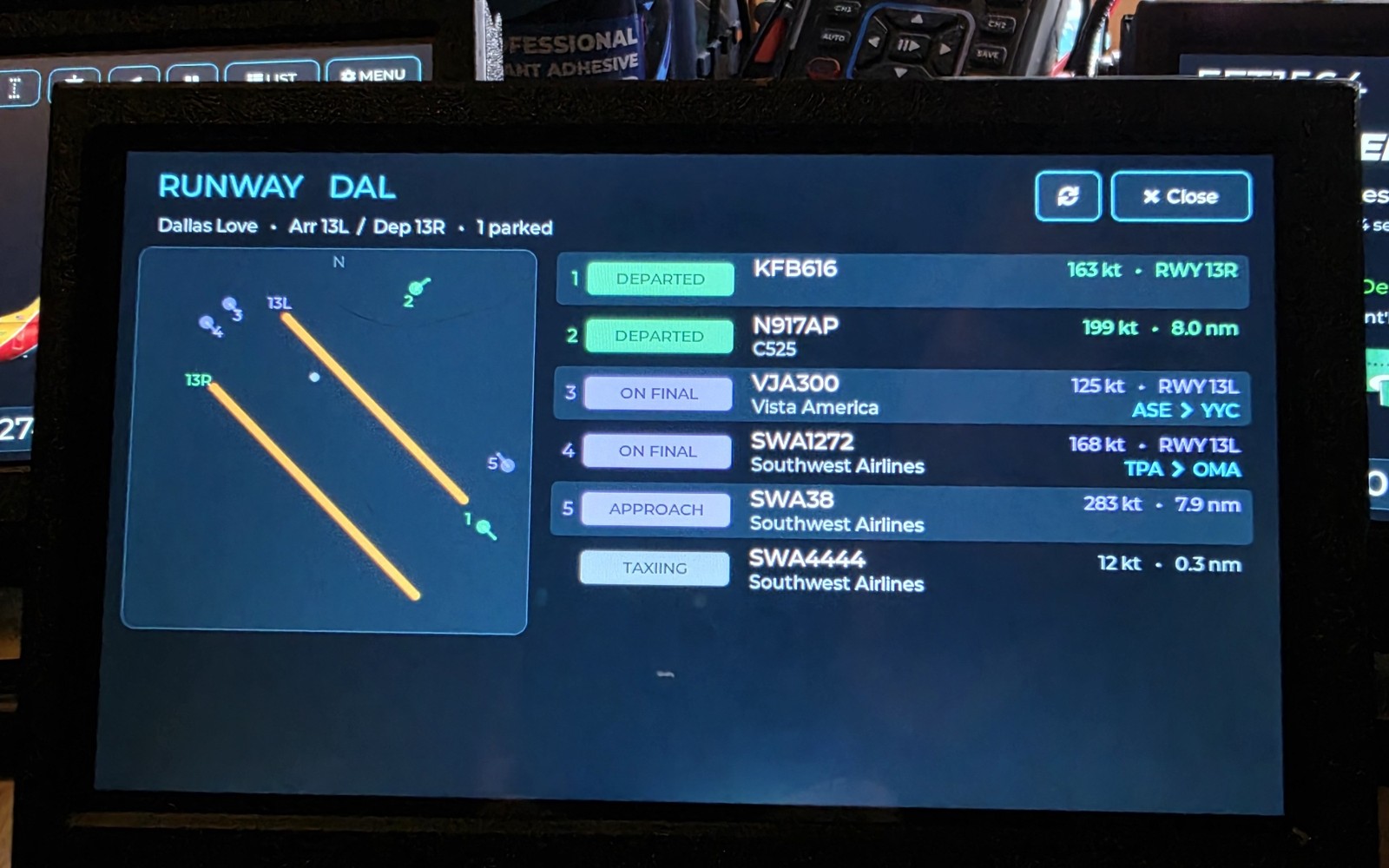
Runway view
Watch the airport itself move — aircraft on final, approaching, taxiing or departing against the runway layout.
Crew Mode
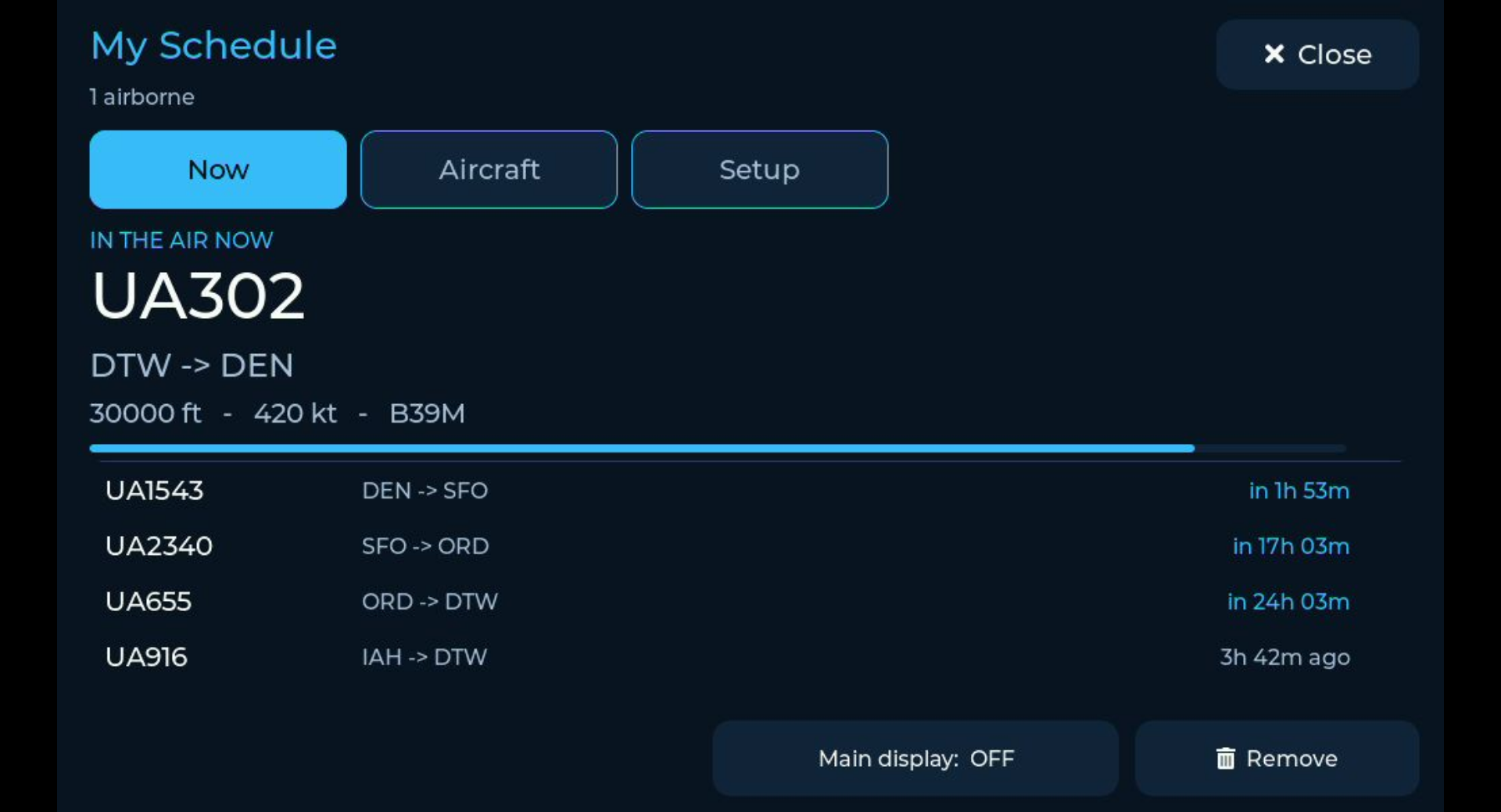
Load the flights that belong to a pilot or family into one view rather than repeatedly searching individual flight numbers.
Screen Cast
The device can put its live view onto another screen over the local network, including a TV, tablet, phone or browser.
No ADS-B hardware at home
Connect the display to Wi-Fi, set its location and use it without a rooftop antenna or local receiver.
Crew Mode: how schedule loading actually works
A pilot pastes the calendar subscription link their crew portal publishes into the WingsAbove web tool, receives a one-time six-digit pairing code, and enters that code on the 7-inch display. The code is consumed once the display has paired.
The display keeps re-reading that calendar link (about every half hour), so when the roster changes the new schedule replaces the previous one on its own. A pilot whose portal only offers a downloaded file can upload it instead; that is a snapshot, and a changed roster means uploading the new file with a fresh code. Crew Mode never signs in to the airline's crew portal and never asks for the pilot's airline login.
Current September 2026 assets.
These files may be used in editorial coverage of WingsAbove. Please credit WingsAbove. Click an image to open the full-size file, or use the download links.
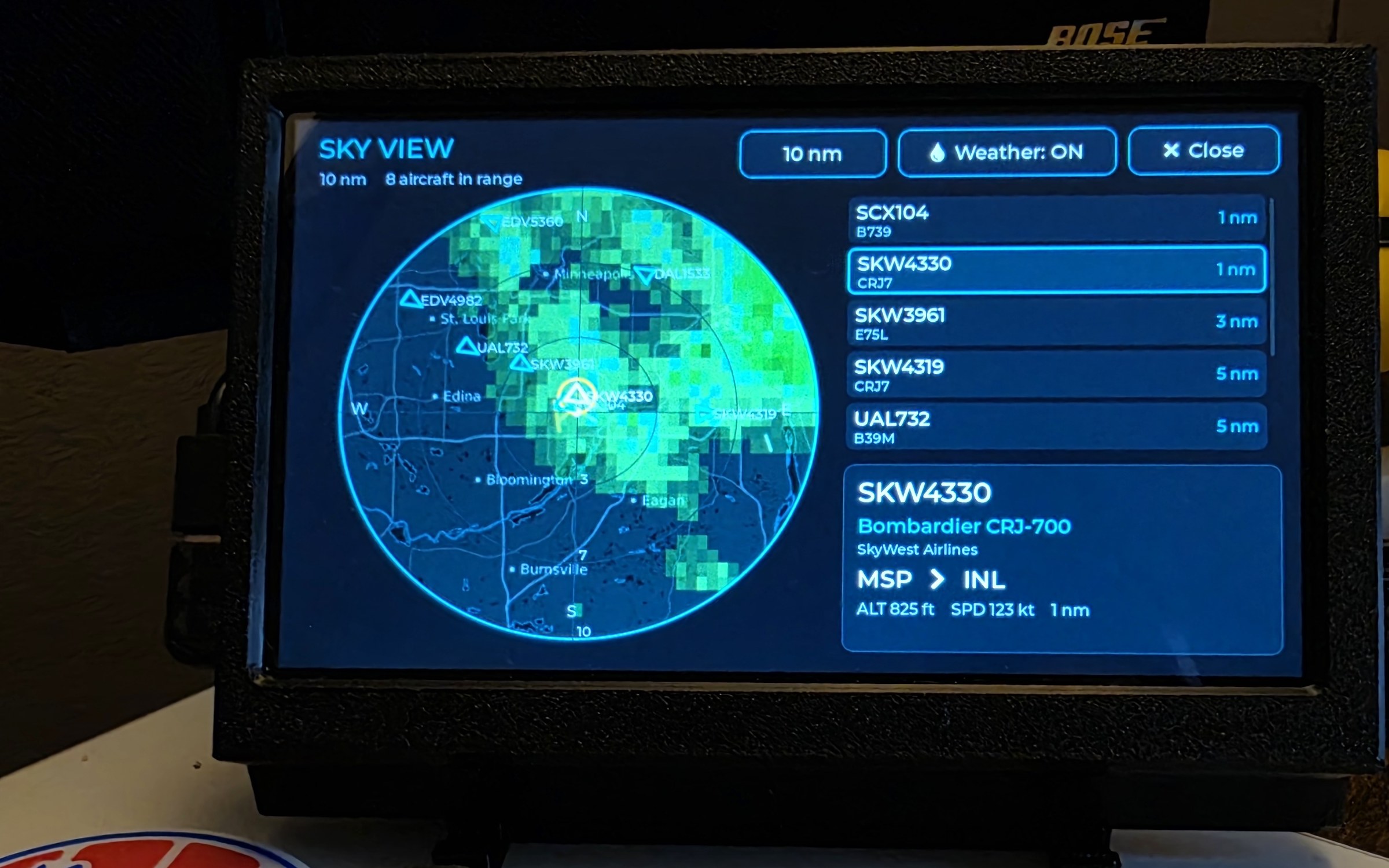
Sky View
Full-screen nearby-aircraft radar with a distance-sorted list, and weather on the same picture.
Crew Mode schedule
Real Crew Mode UI showing the current leg and what comes next.
Current WingsAbove identity.
Use the gold WingsAbove mark and wordmark without recolouring, stretching or adding effects. Transparent files are preferred over screenshots of the logo.

Full logo · transparent

Wing mark · transparent

Full logo · white background
A raster press pack is provided here because the current gold identity was supplied as raster artwork. If a vector master becomes available, it should replace the raster logo as the canonical print asset.
See the product running on real hardware.
For embedded coverage, use the current public demos below. For higher-quality footage, raw captures, interview requests or a review unit, contact WingsAbove directly.
About WingsAbove
WingsAbove LLC is an independent hardware company in Minnesota building dedicated displays that turn live aviation data into something people can watch rather than search for. Its first product, WingsAbove, is a 7-inch Wi-Fi-connected touchscreen that shows nearby aircraft in real time with live map context, route information and deeper flight-tracking views.
Trademark note: WingsAbove is not affiliated with, endorsed by, or sponsored by any airline or aircraft manufacturer. Airline names, logos and liveries are the property of their respective owners and are shown to identify the flight in view.