WingsAbove Cloud · on your TV
The sky over your house, on the TV you already own.
WingsAbove Cloud runs in the browser your TV already has. The aircraft actually overhead right now, with flight number, type, where it came from, where it is going, altitude and speed, drawn large enough to read from the couch. No app to install. No box to buy.
$6.99 a month or $59 a year after the trial. A card is asked for up front. It charges on day 15 unless you cancel, which is one click on your account page, and we email you three days before.
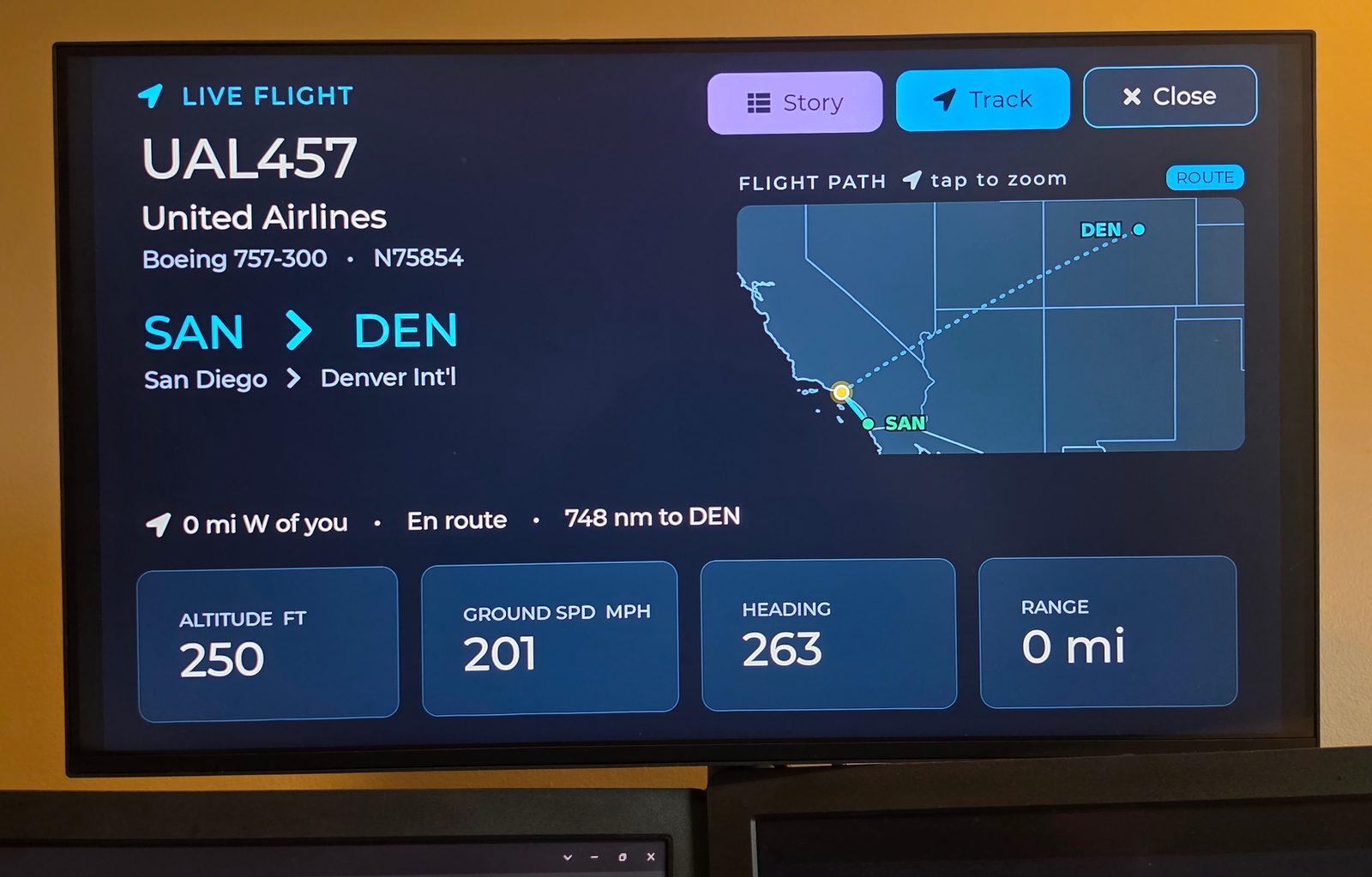
WingsAbove Cloud on a living-room TV. Photographed, not rendered.
A flight tracker lives in your hand and waits to be opened.
This one lives on the wall and is simply there.
Whatever is true over your sky, right now.
Pick an airport, a ZIP code or a pin. The screen follows that sky and changes when the traffic does.
The aircraft in range over the place you chose, on a radar over a real map. The one worth looking at gets the big card: flight number, operator, type, origin and destination, altitude, ground speed, heading, and how far it is from you. Drawn so you can tell which aircraft it is from across the room.
Tap a flight for where it has been and where it is going, with the route on the map and progress along it.
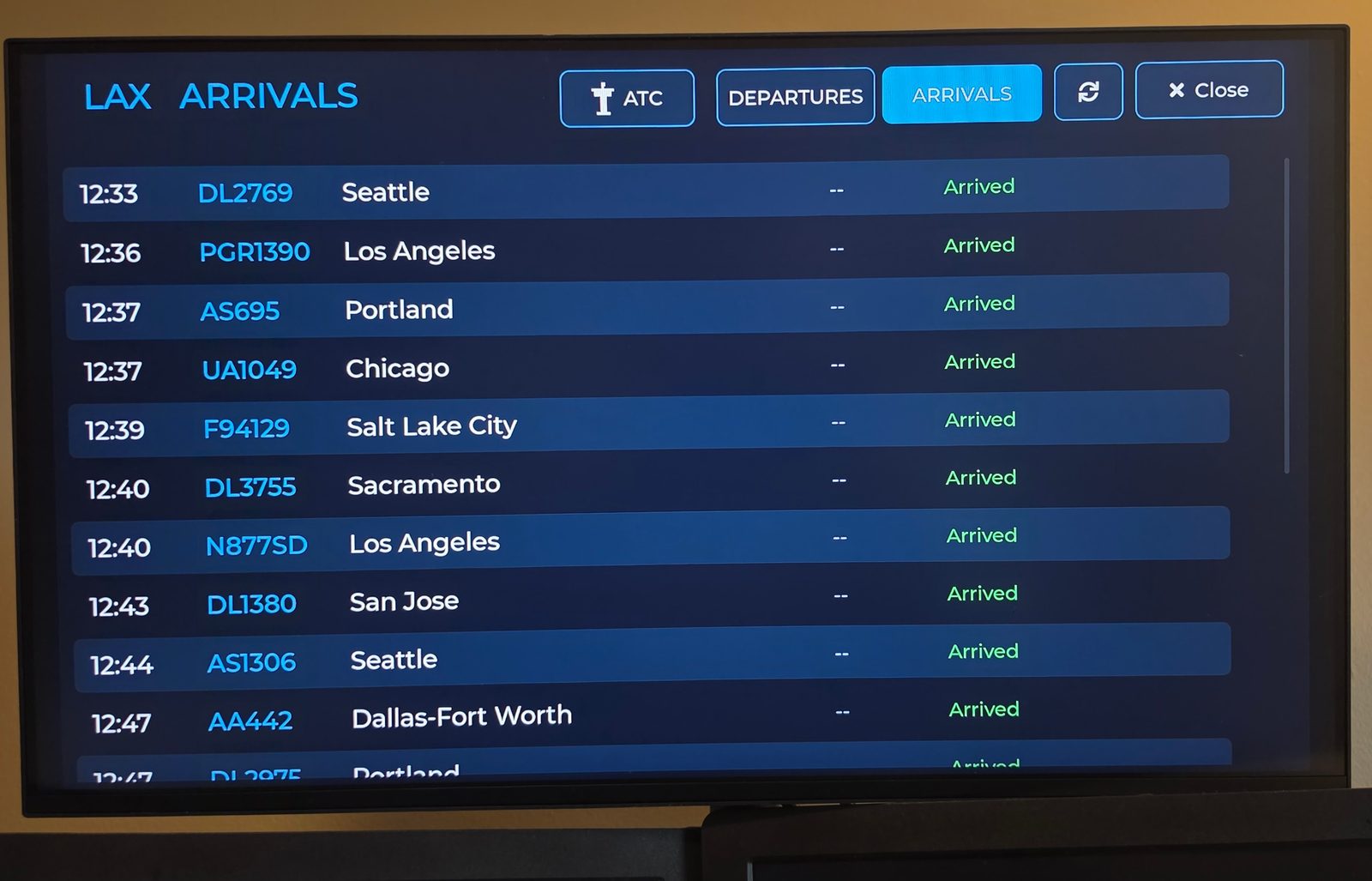
Departures and arrivals for your airport as a board, and the runway view of what is on the ground.
When nothing is overhead, the screen says so and waits. When the connection drops, it keeps the last picture and dims it. It never shows an error page, because nobody is standing next to a TV to press refresh.
Sign up on your phone. Pair the TV with a code.
The same idea as activating a streaming app, so nobody types a password with a remote.
- Open WingsAbove on the TV. In the TV's browser, go to wings-above.com/tv. The screen shows a six-character code and a QR code.
- On your phone, scan the code or type it in. Create your account, tell it where your sky is, and start the trial. Apple Pay and Google Pay work, so the whole thing is a couple of taps.
- The TV comes alive. It remembers the pairing. Put your phone away; the TV does not need it from here on. Name the screen, and forget it from your account page whenever you like.
On your phone, open wings-above.com/tv and enter this code.
Preview of the pairing screen
Where this stands. Pairing by code ships in the next WingsAbove Cloud release. Today, members open cloud.wings-above.com in the TV's browser and sign in there, or cast a browser tab from a laptop. It works; it is just slower with a remote, which is exactly why the code is coming.
Works with the TV you have. Here is the honest list.
Anything with a web browser runs it today. Two platforms have no browser at all, and there is a straightforward answer for each.
Samsung and LG smart TVs
Fire TV
Google TV, Android TV, Chromecast
Apple TV
Roku
Anything with HDMI
A lobby, an FBO counter, a classroom or a museum wall is a different product. Public screens run on a venue licence, with remote monitoring and a pre-configured player we ship to you. Start here for venues.
Built to be left on.
- It follows your hours. Set a sleep schedule once and the screen goes dark overnight and wakes with the house. The setting lives on your account, so every screen you pair follows it.
- It holds the screen awake. While it is showing, it asks the browser to keep the display on. Some TVs have their own idle timers; a quick note in the FAQ below covers them.
- It is quiet. No sound, no notifications, nothing to dismiss. It changes when the sky changes.
- One account, every screen. Your sky and your settings come with you to the TV, the laptop, and the phone on the counter.
One plan does the TV. The second adds Crew Mode.
Both start with 14 days free, both ask for a card up front, both cancel in one click.
WingsAbove Cloud
$6.99 / month or $59 / year
- The live sky over a place you choose. Radar over a real map, every aircraft in range.
- The story of each flight. Flight number, type, route, altitude, speed, progress.
- Airport boards and the runway view. Departures, arrivals, what is on the ground.
- Your TV, your laptop, your phone. One account.
WingsAbove Cloud Crew
$12.99 / month or $119 / year
- Everything in Cloud.
- Crew Mode. Follow a roster from your crew portal, or a set of tail numbers, instead of only the window.
- The between-legs screen. Where they are, next out, legs to go, home in.
- Flight history on tap. How a flown leg actually went.
Prices in US dollars before tax. The trial converts to the plan you chose on day 15 unless you cancel first; one trial per person. Switch between Cloud and Cloud Crew from your account page at any time.
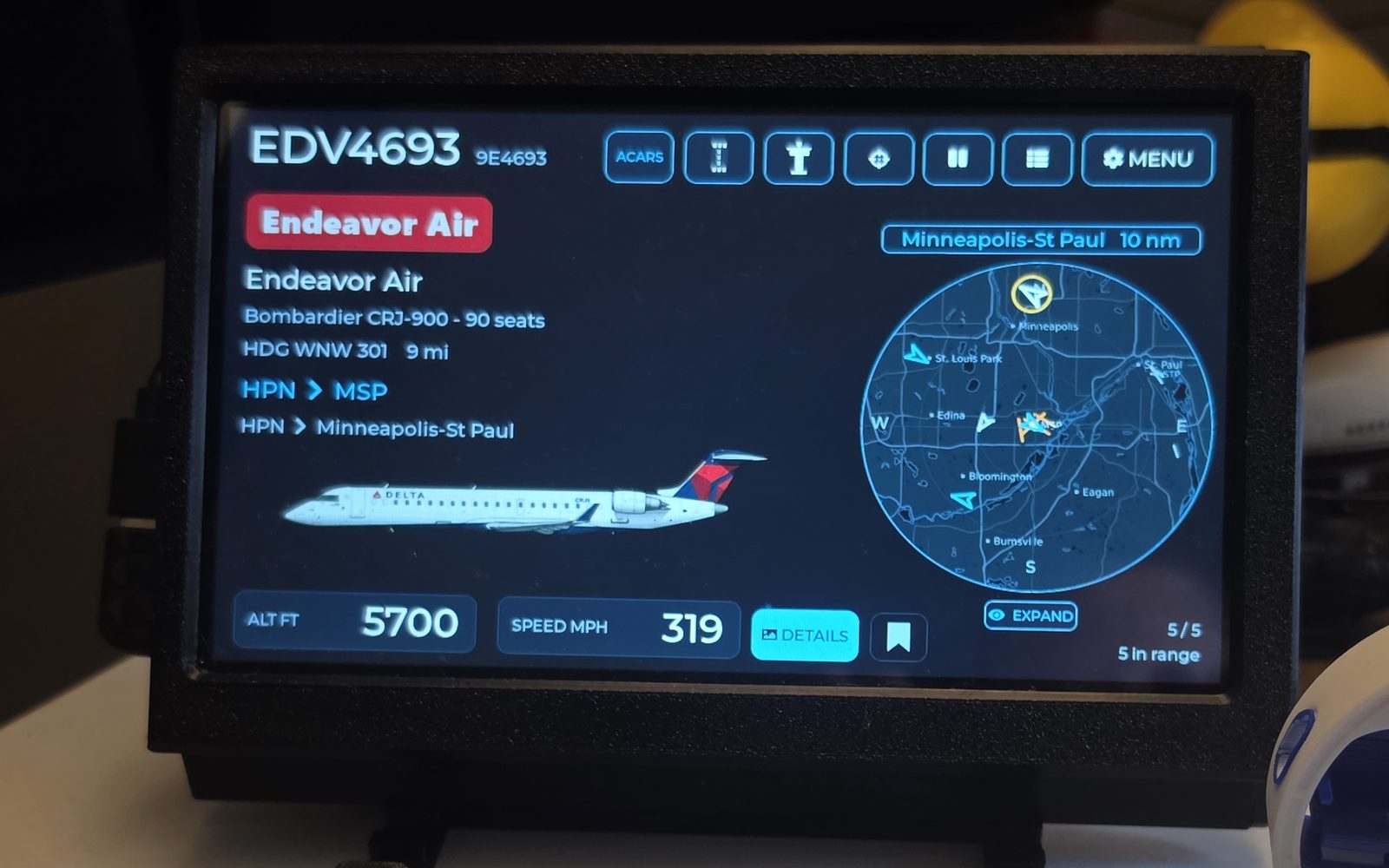
The 7-inch display is the always-on version.
A sealed desk display that needs no TV, no browser and no subscription for anything it does. Six months of WingsAbove Cloud come with it, so the TV in the next room can show the same sky.
The ones people ask first.
Does my phone have to stay on?
No. Once a TV is paired it talks to WingsAbove on its own. The exceptions are AirPlay and screen mirroring, where the TV is literally showing your phone's screen, so the phone has to stay awake. Casting from the WingsAbove Cast button, when it arrives, hands the picture to the TV and lets the phone sleep.
Do I need to install an app?
No. It runs in the browser your TV already has. Apps for Fire TV and Google TV are planned so it can sit beside your other apps, but they are a convenience, not a requirement.
Will it keep my TV awake, and is that bad for the screen?
While it is showing, it asks the browser to keep the display on. Some TVs also have their own idle or eco timer in settings, and you may need to lengthen or disable it. For the panel's sake, set a sleep schedule in WingsAbove so the screen goes dark overnight; the picture also changes constantly, which is what matters for burn-in.
How many TVs can I pair?
Your account page lists every screen you have paired and lets you forget one. Plans include enough screens for a household; if you are putting it on more screens than that, you are probably a venue, and the venue licence is the right fit.
Which sky does it show?
Whichever you choose: an airport code, a ZIP code, a city, or a pin on the map. Most people set their house. Some set the airport they fly out of, or a parent's town. You can save several and switch.
Is the data real?
Yes. Positions come from live ADS-B receivers, the same broadcasts the aircraft send to air traffic control, and are refreshed continuously. When no receiver is hearing an aircraft, the screen says so rather than guessing.
I have the 7-inch display. Do I need this?
Six months of WingsAbove Cloud are included with the display, so you already have it. Open cloud.wings-above.com and sign in with the account you set up for the display; your sky is already there.
Fourteen days, on the biggest screen in the house.
Create your account on your phone, choose Cloud, and put it on the TV. If it is not what you hoped, cancel from the account page and nothing is charged.
Start your 14-day free trialCard required to start. $6.99 a month or $59 a year from day 15 unless you cancel. We email you three days before the first charge, and again before any renewal. Cancel in one click from your account page.