Hi, Ed here.
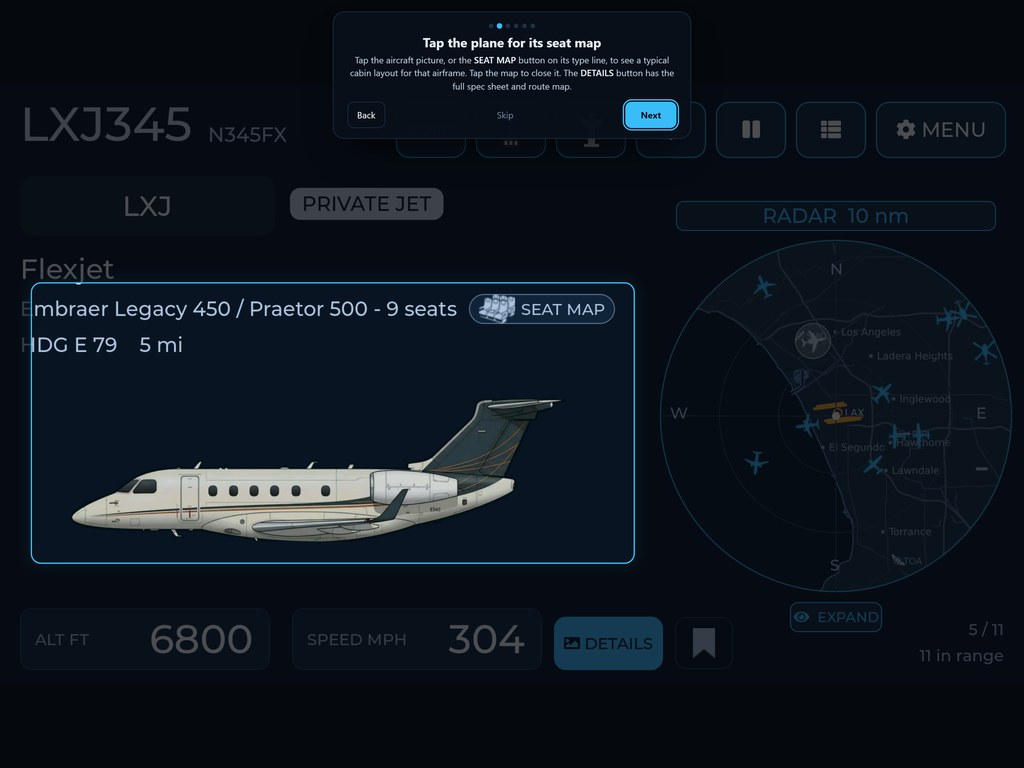
v2.2.169 is going out to your WingsAbove display over Wi-Fi now, and WingsAbove Cloud and the apps have it the next time you open them. This one came from watching new owners meet the display for the first time. The seat map was there all along; almost nobody found it.
The seat map, where you can find it
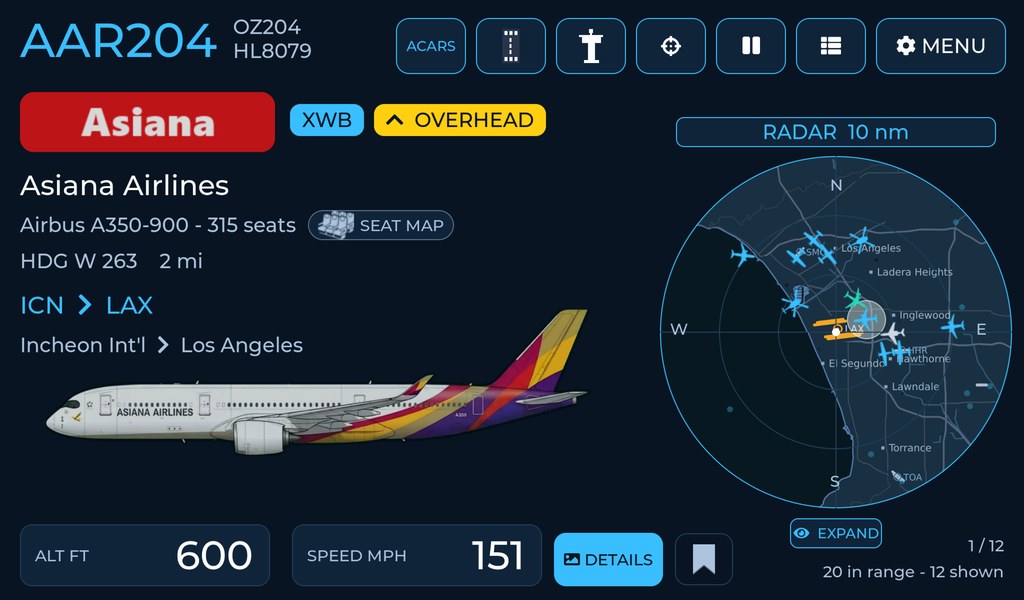
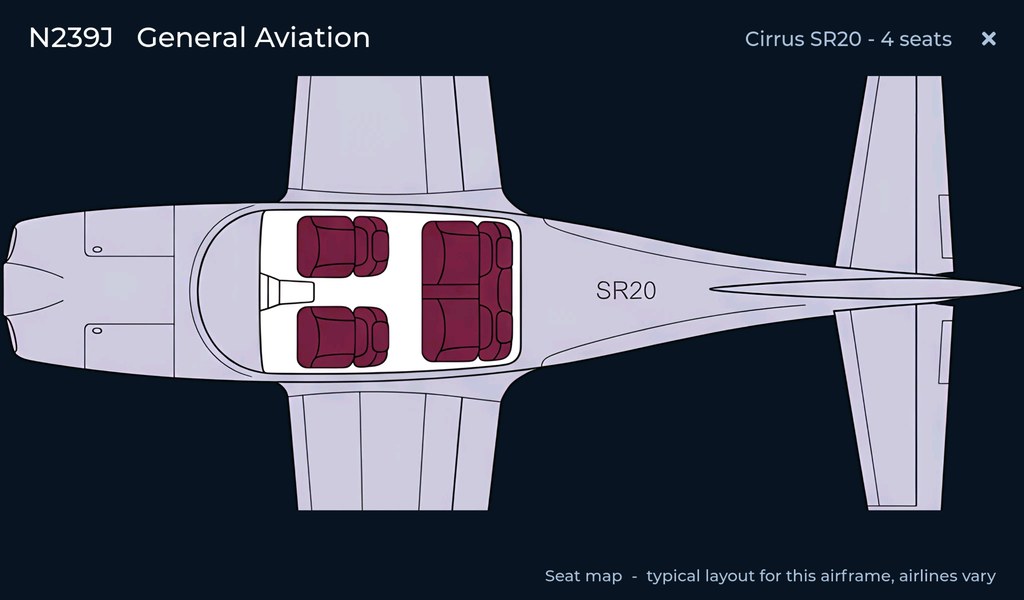
The small seat icon after the seat count is now a button that says SEAT MAP. Better, the thing everyone tried first now works: tap the airplane itself on the card and its cabin opens. The type line still does it too. A plane that has no seat map yet opens its Details instead, so a tap on the plane always goes somewhere.
Details, laid out again
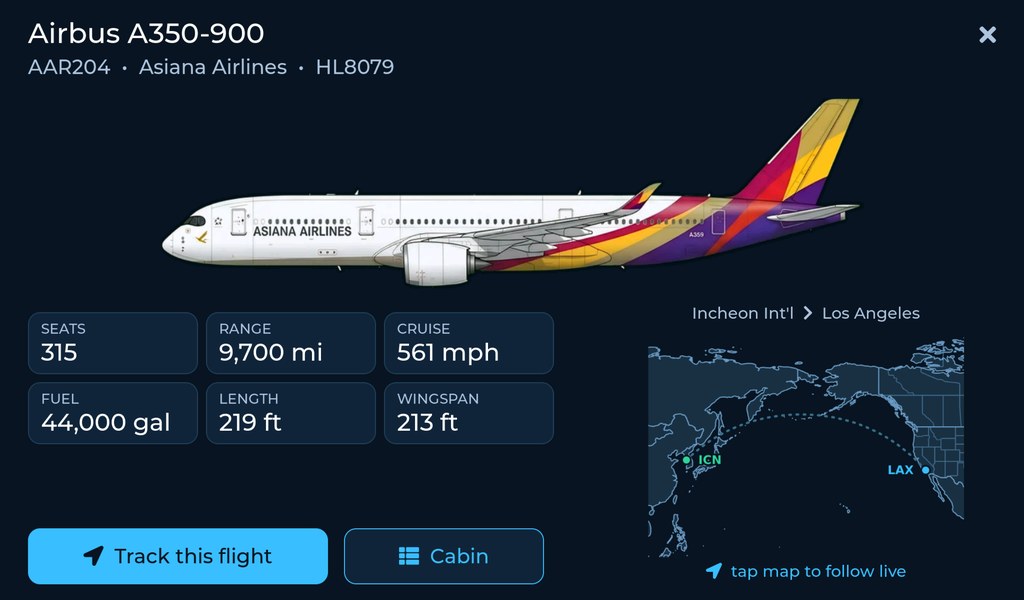
Tap DETAILS and the sheet now reads like a spec card. The aircraft's name and who is flying it are at the top, the picture runs across the middle, and the figures sit in tiles: seats (or cargo tons for a freighter), range, cruise speed, fuel, length and wingspan. Private jets carry their list price and military aircraft their fleet and nickname on a line under the tiles. When the route is known, its map sits in the lower right with the two cities over it; tap the map to follow the flight live. Track this flight and Cabin are along the bottom, and the X in the corner, or a tap anywhere else, closes it.
Your card, your buttons
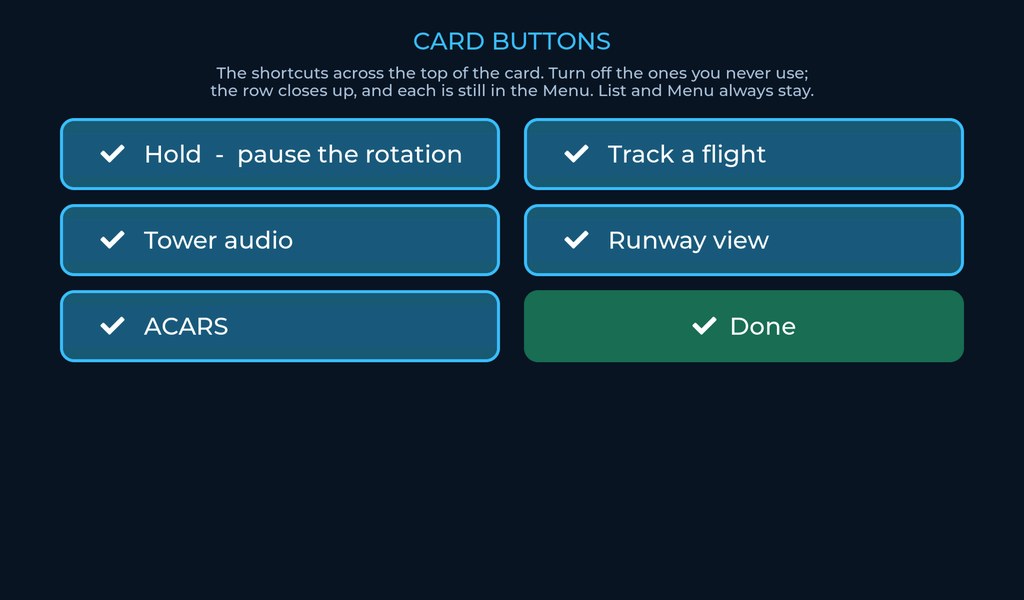
The row of shortcuts across the top of the card is now yours to trim. Menu › More Settings › Display › Card Buttons lets you turn off Hold, Track, Tower, Runway or ACARS if you never use them. The row closes up around the ones you keep, and everything is still in the Menu. List and Menu always stay.
A tour, in Cloud and the apps
The first time a browser or the app opens the display, a six-step tour now points out the card, the seat map, the buttons across the top, the four screens off the edges, the radar and the menu. It shows itself once. To take it again, open Settings in the bottom-left corner and tap Take the tour.
Smaller things
- A Citabria is not a helicopter. A handful of light aircraft whose type codes begin with the same letters as rotorcraft (Citabrias, the Zenair kit planes, the Husky, some Hawkers) were drawn as helicopters on the radar and caught by the Helicopters filter. They fly as airplanes now.
- The user guide at wings-above.com/guide covers all of the above, screen by screen, and the printable Quick Start with it.
Seen something that looks wrong, or something you keep reaching for and cannot find? hello@wings-above.com.
Ed